
QC, PD, and PPS charging often confuse buyers because the names look like three equal fast-charging choices. That confusion can lead to wrong adapter selection, slower charging, or failed product matching. We see this often in wireless charger sourcing, so the safest approach is to understand the protocol, power profile, cable, and device together.
QC is Qualcomm’s proprietary fast-charging technology. USB PD is a broader USB-IF power-delivery standard for USB-C devices. PPS is not a separate rival to PD; it is an optional programmable feature inside USB PD. The best choice depends on compatibility, supported voltage/current profiles, cable rating, and device power-management limits.
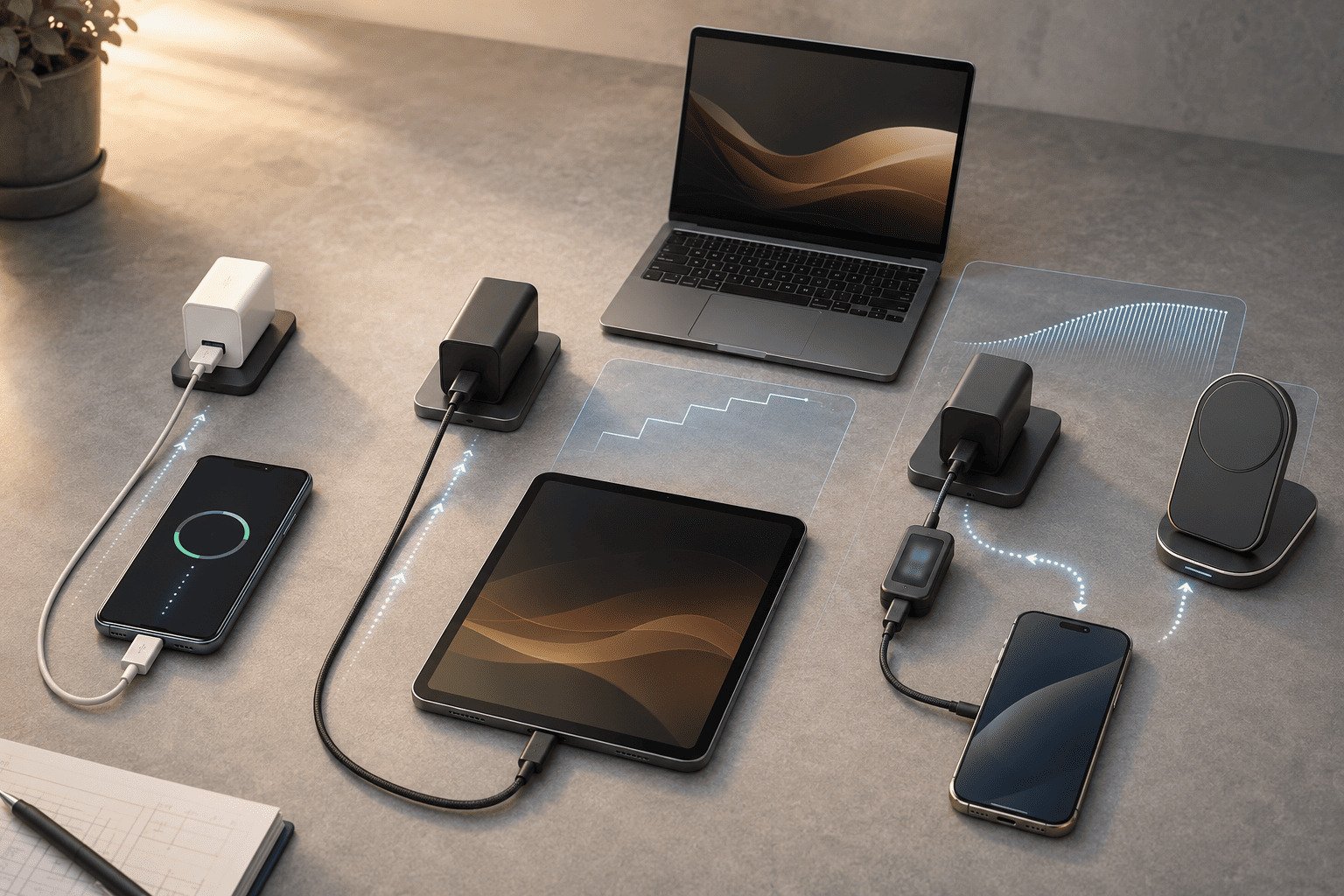
The short answer is simple, but the buying decision is not always simple. A charger marked “65W” does not guarantee that every phone receives its maximum charging power. The device, charger, cable, port, temperature, firmware, and battery level all affect the final result.
How Do QC, PD, and PPS Charging Actually Differ?
QC, PD, and PPS charging can look similar on product packaging, but they do not sit at the same level. If a buyer treats them as interchangeable labels, the product may pass a basic power test but fail to deliver expected fast charging in real use.
QC is a Qualcomm fast-charging technology used widely in Android accessories and phones, especially older generations. USB PD is a USB-IF standard used across phones, tablets, laptops, monitors, power banks, and chargers. PPS is an optional USB PD feature that allows finer voltage and current adjustment when both sides support it.
The key distinction
We should not describe QC, USB PD, and PPS as three fully parallel standards.
- QC, or Quick Charge, is Qualcomm’s proprietary fast-charging family. Qualcomm publishes Quick Charge information officially, and newer Quick Charge versions are designed with wider compatibility in mind.
- USB PD, or USB Power Delivery, is developed by the USB Implementers Forum, or USB-IF. It is the main open standard behind many modern USB-C charging products.
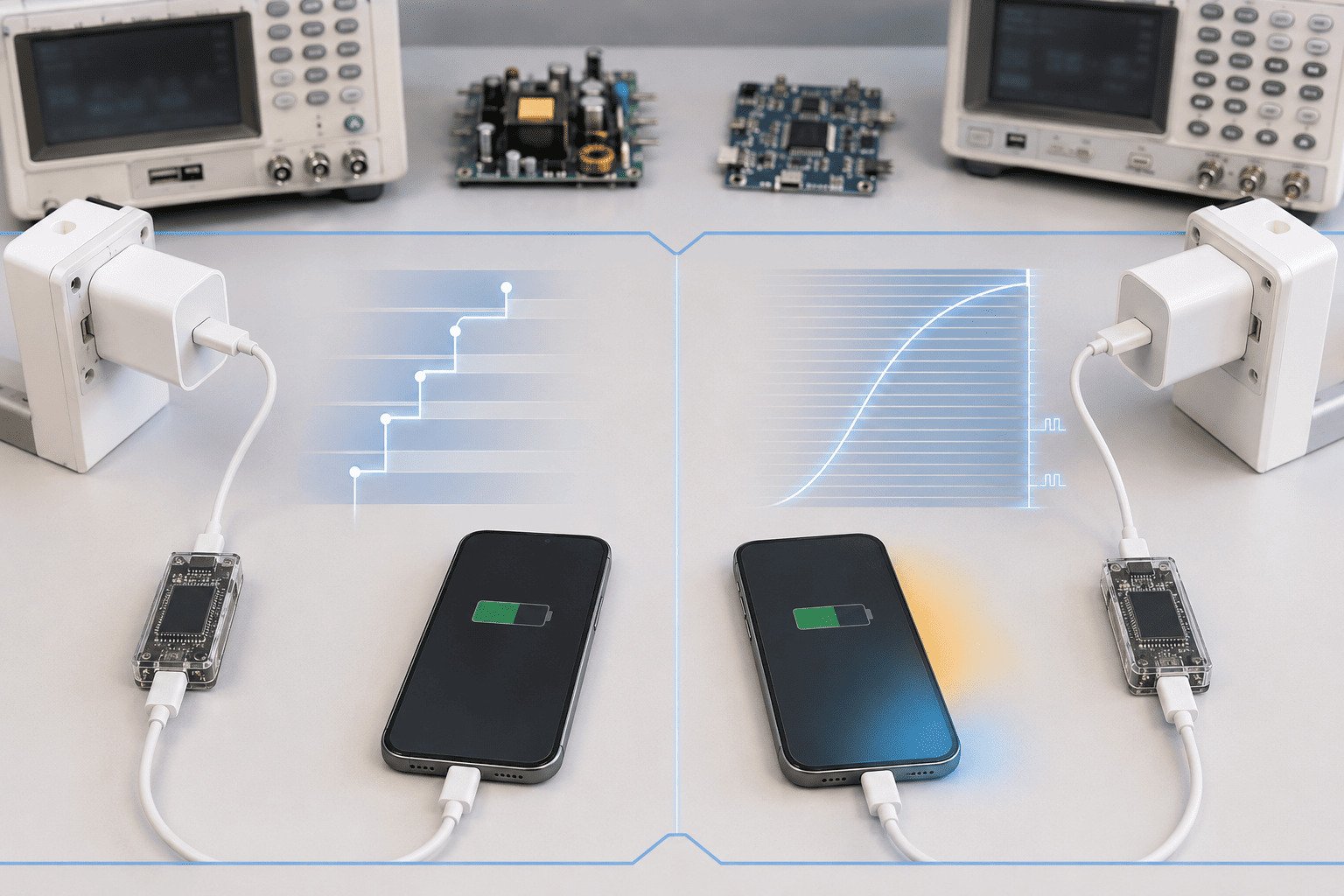
- PPS, or Programmable Power Supply, is part of the USB PD system. It appeared in the USB PD 3.0 generation and allows the device to request more granular voltage/current levels within the charger’s advertised programmable range.1
A standard USB PD charger usually advertises fixed power profiles, often called PDOs. For example, a charger may offer 5V, 9V, 15V, or 20V fixed outputs. A phone or laptop chooses one compatible profile during negotiation.
PPS works differently. A PPS-capable charger advertises programmable ranges, often called APDOs. A compatible phone can request smaller voltage steps inside that range. This may help the phone reduce internal conversion loss and control heat through real-time step adjustments, or reach its intended fast-charging mode.
However, PPS does not automatically mean faster or cooler charging. The phone’s battery-management system still decides how much power to accept.2 If the battery is already near full, or if the phone is hot, charging speed will drop.3
| Item | QC | USB PD | USB PD with PPS |
|---|---|---|---|
| Standard type | Qualcomm proprietary technology | USB-IF standard | Optional feature within USB PD |
| Common use | Android phones, legacy accessories | USB-C phones, tablets, laptops, power banks | Phones that need programmable voltage control |
| Output style | Version-dependent | Fixed PDO profiles | Programmable APDO ranges |
| Best buying logic | Match QC-compatible devices | Match broad USB-C devices | Match specific PPS voltage/current range |
Official references should come from the USB-IF USB Power Delivery specifications and certification materials and Qualcomm Quick Charge technical/product information. These sources define the standards; real lab tests only show how one product behaves under one test condition.
Why Do QC, PD, and PPS Charging Speeds Vary in Real Products?
QC, PD, and PPS charging speeds vary because the printed wattage is only one part of the power path. A charger may support high total output, but the device may not request it, the cable may limit current, or the required profile may be missing.
Actual charging power is determined by the highest mutually supported combination of device protocol, charger profile, cable current rating, connector, battery level, temperature, firmware, and port allocation.4 If negotiation fails, charging normally falls back to a lower compatible level.
A practical way to test fairly
We recommend a controlled comparison instead of relying only on packaging claims. The test should change only one variable at a time.
Use the same:
- Phone or test device
- USB-C cable and cable current rating
- Starting battery level, such as 20%
- Room temperature, such as 25°C
- Test duration, such as 30 minutes
- Measuring tool, such as a USB-C power meter
- Charger port, if the adapter has multiple ports
Then record:
| Test item | What to record |
|---|---|
| Negotiated protocol | QC, USB PD, or PD PPS |
| Voltage and current | Real-time V/A from the meter |
| Input power | Watts at the USB-C output |
| Sustained performance | Power after 5, 10, 20, and 30 minutes |
| Temperature | Phone surface and charger temperature |
| Power reduction | Any drop caused by heat, battery level, or firmware |
This method separates three things clearly:
- Official specification limits: what USB-IF or Qualcomm defines.
- Laboratory measurements: what the tested device and charger actually do.
- Practical conclusions: what buyers should expect in normal use.
For example, a 65W charger may include 20V output for laptops but may not include the specific PPS APDO required by a 25W phone due to protocol negotiation differences defined by global charging architecture. In that case, the phone will fall back to a lower standard PD level. The charger is not necessarily defective. The profiles simply do not match.
Multi-port chargers add another issue. A charger may advertise 65W total, but each port may change output when two or three devices are connected.5 Procurement teams should always check the single-port and multi-port power distribution table, not only the front-label wattage.
The main rule is simple: fast charging depends on negotiation, not marketing wattage.
How Should Buyers Choose QC, PD, and PPS Charging for Wireless Chargers?
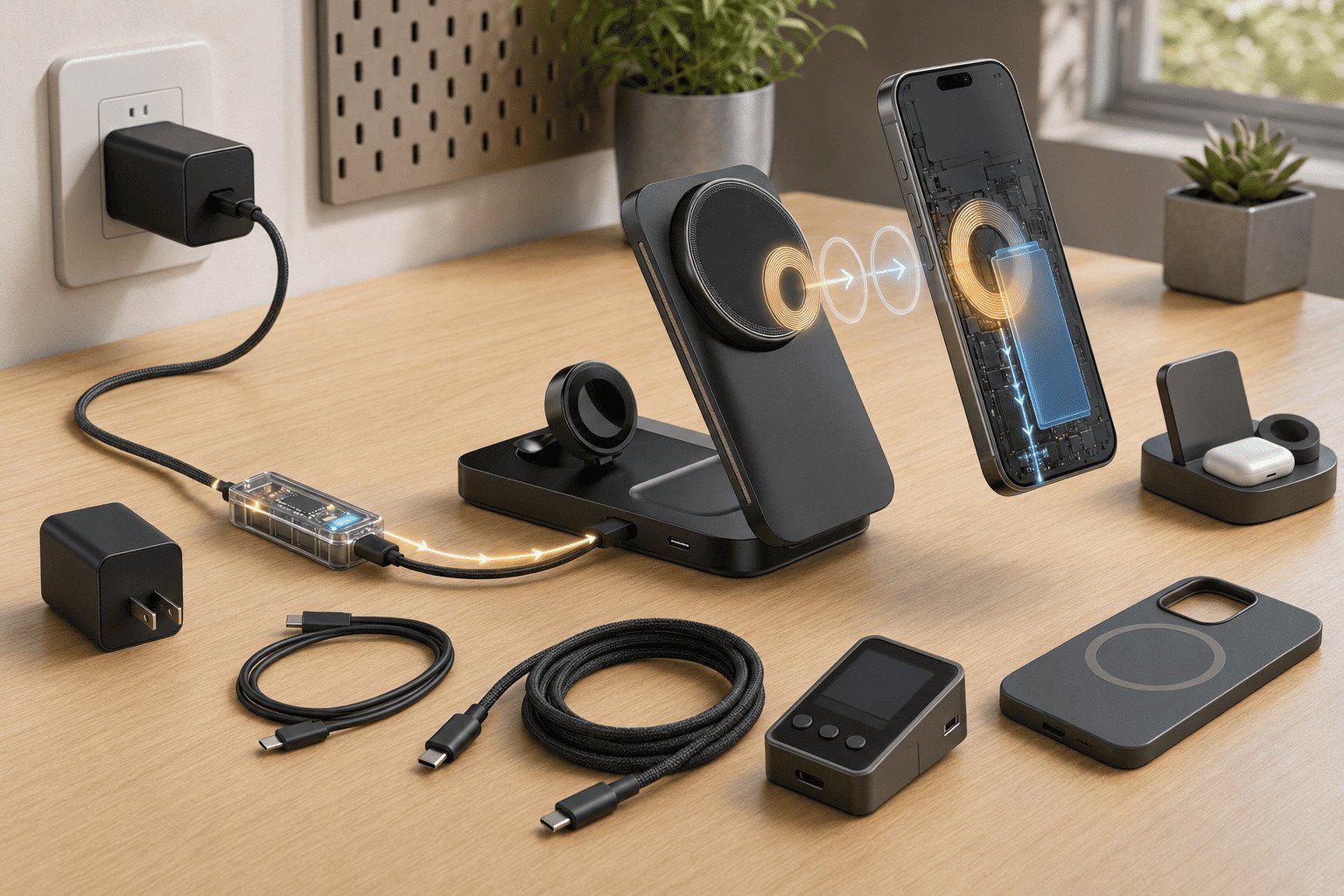
QC, PD, and PPS charging are especially important for wireless chargers because the adapter power is not the same as the wireless power delivered to the phone. The full path includes wall adapter, USB cable, wireless charger circuit, phone receiver, and battery.
For wireless charging, buyers should follow the wireless charger manufacturer’s recommended input specification. A Qi2-certified multi-device charging station (often outputting a combined 25W or more across multiple coils) may require a specific PD or PPS input profile to power all devices optimally. A higher-wattage adapter alone will not guarantee full wireless output.
Understand the full wireless power path
Wireless charging has more conversion steps than wired charging:
- Wall adapter outputs power
- USB cable carries power
- Wireless charger converts input power
- Phone receiver receives wireless power
- Battery-management system accepts final charging power
Each step has loss, as modern wireless charging systems typically achieve around 70% to 80% transfer efficiency due to coil alignment and thermal dissipation. This is why a wireless charger may need a 30W or higher input adapter to deliver a lower wireless output. Thus, the input wattage is not equal to the phone’s battery charging wattage.
A Qi2-certified multi-device wireless charger may require a defined input such as USB PD at a certain voltage/current level, or PD PPS within a certain APDO range. If the adapter does not provide that profile, the wireless charger may reduce output or fail to enter its highest performance mode.
For bulk sourcing, we use this checklist:
- Confirm the device’s supported protocol: QC, USB PD, PPS, or a brand-specific mode.
- Check the charger’s full PDO list: 5V, 9V, 12V, 15V, 20V, and current limits.
- Check PPS APDO ranges: for example, whether the range and current match target devices.
- Verify cable rating: 3A cables and 5A e-marker cables support different limits.6
- Review connector type: USB-C shape does not automatically mean USB PD or PPS support.
- Check multi-port redistribution: output may change when other ports are used.
- Follow the wireless charger input spec: especially for Qi2, 3-in-1 stations, and high-power stands.
- Request test reports where needed: UL, CE, FCC, RoHS, PSE, KC, Qi, or other market requirements.
As a wireless charger manufacturer, we also treat thermal design as part of power design. A product that negotiates high input power but cannot manage heat will still reduce output. Stable charging is usually more valuable than a short peak-power number.
Frequently Asked Questions
Is PPS better than USB PD?
PPS is not separate from USB PD. PPS is an optional programmable feature inside USB PD. It can help compatible phones request finer voltage and current levels, but it is only useful when the phone, charger, cable, and power profiles all support the needed range.
Does a USB-C charger always support PD or PPS?
No. USB-C describes the connector, not the complete charging protocol. A USB-C charger may support basic 5V charging, USB PD, PPS, or other modes. Buyers should check the charger’s specification table, not just the connector shape.
Why does my 65W charger not charge my phone at 25W?
The phone may require a specific PD or PPS profile that the 65W charger does not provide. Battery level, temperature, cable rating, firmware, and port sharing can also reduce power. The highest printed wattage is not always the phone’s supported wattage.
Is QC still useful for modern products?
Yes, QC can still be useful for compatible Android devices and legacy accessories. However, USB PD has broader cross-device compatibility across modern USB-C products. For new product lines, buyers should usually evaluate PD and PPS requirements carefully.
Does a higher-wattage adapter improve wireless charging?
Not always. Wireless chargers need the correct input protocol and profile. A Qi2 or multi-device wireless charger may require a specific PD or PPS input. If the required profile is missing, a higher-wattage adapter may still deliver lower wireless output.
Conclusion
QC, PD, and PPS charging should be selected by compatibility and power-profile matching, not by the largest wattage printed on the package. QC remains useful for many compatible Android and legacy products. USB PD offers broad USB-C interoperability. PD with PPS is often best when a phone specifically needs programmable voltage control. For wireless chargers, always check the full adapter-cable-charger-phone power path. If you need OEM or ODM wireless charging products with verified input requirements, we can help match the correct protocol and charging profile for your target market.
"USB Charger (USB Power Delivery) - USB-IF", https://www.usb.org/usb-charger-pd. USB PD 3.0 documentation describes Programmable Power Supply operation using advertised programmable ranges, which supports the article's explanation that compatible sinks can request finer voltage and current levels. Evidence role: mechanism; source type: institution. Supports: The source should document that PPS is part of USB PD 3.0 and permits negotiated programmable voltage/current operation.. Scope note: Public summaries may describe PPS behavior without reproducing the full normative electrical requirements found in the paid or controlled specification. ↩
"Battery management system - Wikipedia", https://en.wikipedia.org/wiki/Battery_management_system. Engineering references on lithium-ion battery-management systems describe device-side control of charge current, voltage, and safety thresholds, supporting the article's statement that the phone determines accepted charging power. Evidence role: mechanism; source type: education. Supports: The source should explain that lithium-ion charging is controlled by device-side battery-management circuitry and algorithms that regulate current, voltage, and safety limits.. ↩
"Temperature and voltage effects on the charge and health of lithium ...", https://pmc.ncbi.nlm.nih.gov/articles/PMC13003025/. Battery research and technical references describe current tapering near full state of charge and temperature-dependent charge limits, supporting the article's explanation of reduced charging speed under those conditions. Evidence role: mechanism; source type: research. Supports: The source should show that lithium-ion charging typically tapers current as the battery approaches full charge and may reduce or stop charging outside safe temperature ranges.. ↩
"[PDF] USB Power Delivery", https://www.usb.org/sites/default/files/D2T2-1%20-%20USB%20Power%20Delivery.pdf. USB Power Delivery materials describe power negotiation among source, sink, and cable capabilities, providing standards support for the article's claim that printed wattage alone does not determine actual charging power. Evidence role: general_support; source type: institution. Supports: The source should explain that USB PD negotiates power based on source capabilities, sink requests, and cable capability, with device operating conditions affecting actual draw.. Scope note: USB-IF materials directly support protocol and cable negotiation; battery level, firmware, and thermal throttling require complementary device or battery-management sources. ↩
"What happens when there are multiple devices connected ... - Reddit", https://www.reddit.com/r/UsbCHardware/comments/1nn1063/what_happens_when_there_are_multiple_devices/. Technical analyses of multi-output USB power supplies describe finite power allocation across ports, giving contextual support to the article's statement that per-port output can change when multiple devices are connected. Evidence role: general_support; source type: research. Supports: The source should support that multi-output power supplies allocate finite total power among ports and may change advertised or delivered power when loads change.. Scope note: The exact redistribution behavior is product-specific and must be verified from the charger's own specification or test report. ↩
"Do USB-C to USB-C cables need an emarker chip to ... - Reddit", https://www.reddit.com/r/UsbCHardware/comments/13j0gev/do_usbc_to_usbc_cables_need_an_emarker_chip_to/. USB Type-C documentation distinguishes default 3 A cable capability from 5 A operation using electronically marked cables, supporting the article's warning that cable rating affects charging limits. Evidence role: definition; source type: institution. Supports: The source should state that USB-C cables have current ratings and that 5 A operation requires an electronically marked cable.. ↩